

 Local LLM ServerActive developmentDESKTOP LOCAL AI INFRASTRUCTURE
Run local models.
Ship reliable products.
Local LLM Server exposes GGUF and MLX runtimes through an OpenAI-compatible API, with explicit model lifecycle, routing, concurrency and real-time telemetry.
"Make local inference reusable, observable and app-ready."
Product code should depend on a stable local AI boundary, not on model file paths, engine backend processes or application-specific wrapper scripts.
Explicit
Model identity, configuration and dynamic routing are explicit and reproducible across environments.
Observable
Server health, resident state, token generation timings and logs remain fully inspectable.
Reusable
Multiple desktop applications can depend on the exact same OpenAI-compatible local reasoning layer.
Why running a local model alone is not enough
Executing model weights is straightforward. Turning open-weight models into a stable execution layer for production software requires solving core system engineering problems.
Backend coupling
Application logic directly inherits inference engine quirks, quantization formats, and binary execution flags.
Lifecycle ownership
Models must be resolved, completeness-checked, loaded into VRAM, drained of active requests, and unloaded safely without memory leaks.
Runtime coordination
Running multiple resident models simultaneously requires explicit routing, admission control, and hardware resource concurrency limits.
Opaque operation
Product teams need request evaluation timings, streaming health indicators, and log tracing beyond raw stdout console output.
How applications interact with Local LLM Server
Applications integrate once using the standardized OpenAI protocol. Models, backend engines, and quantization choices evolve independently behind the runtime boundary.
Desktop application request
Product code issues a standard /v1/chat/completions HTTP request.
OpenAI API compatibility layer
Request parameters, prompt templates, and streaming flags are parsed and validated.
Model key & routing lookup
The server resolves the model key to a configured GGUF or MLX definition.
Resident runtime lease
Acquires a concurrency lease on the active model, preventing unsafe unloads.
Backend engine execution
Executes inference via in-process llama_cpp/mlx or managed server processes.
Response & SSE stream
Delivers structured JSON output or low-latency Server-Sent Events stream to the client.
Deterministic model lifecycle management
Downloaded does not mean resident, and resident does not mean default route. Lifecycle state changes are managed deterministically.
Artifact Resolution
Discovers models from built-in definitions, user configs, LM Studio caches, or Hugging Face hubs.
Completeness Check
Validates file existence, SHA-256 integrity checksums, and quantization compatibility before loading.
Engine Initialization
Allocates Metal/VRAM buffers, context windows, and threads for the target backend.
Resident Lease
Maintains active client leases to guard against premature model unloads during active inference.
Graceful Drain & Unload
Drains inflight HTTP requests before releasing memory back to the host system.
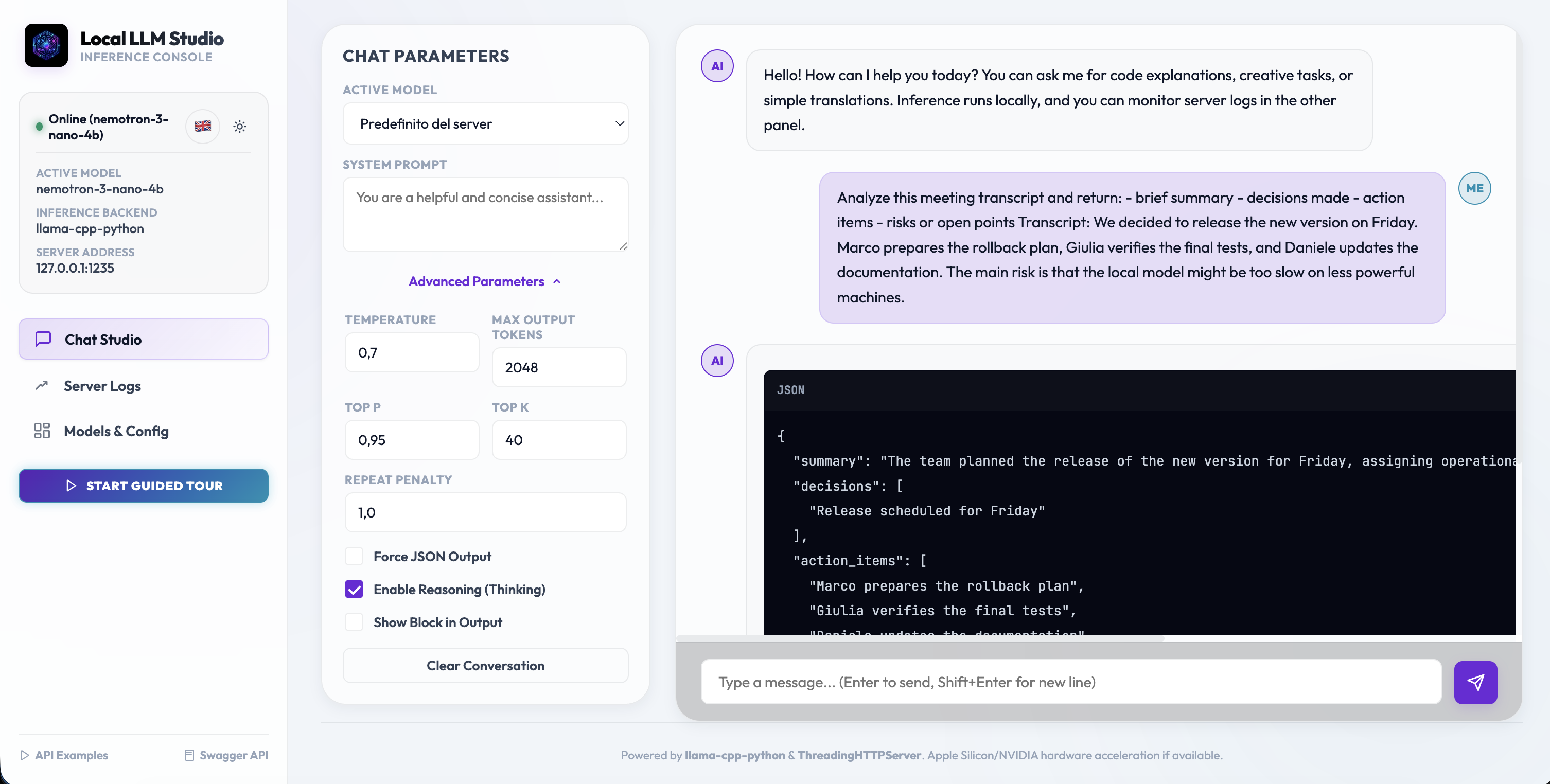
Local LLM Studio: Inspectable runtime console
Local LLM Studio is the bundled operational web console that makes the runtime server visible, testable, and easier to integrate.
Chat Studio
Test prompts, stream responses, configure inference parameters, and inspect structured outputs.
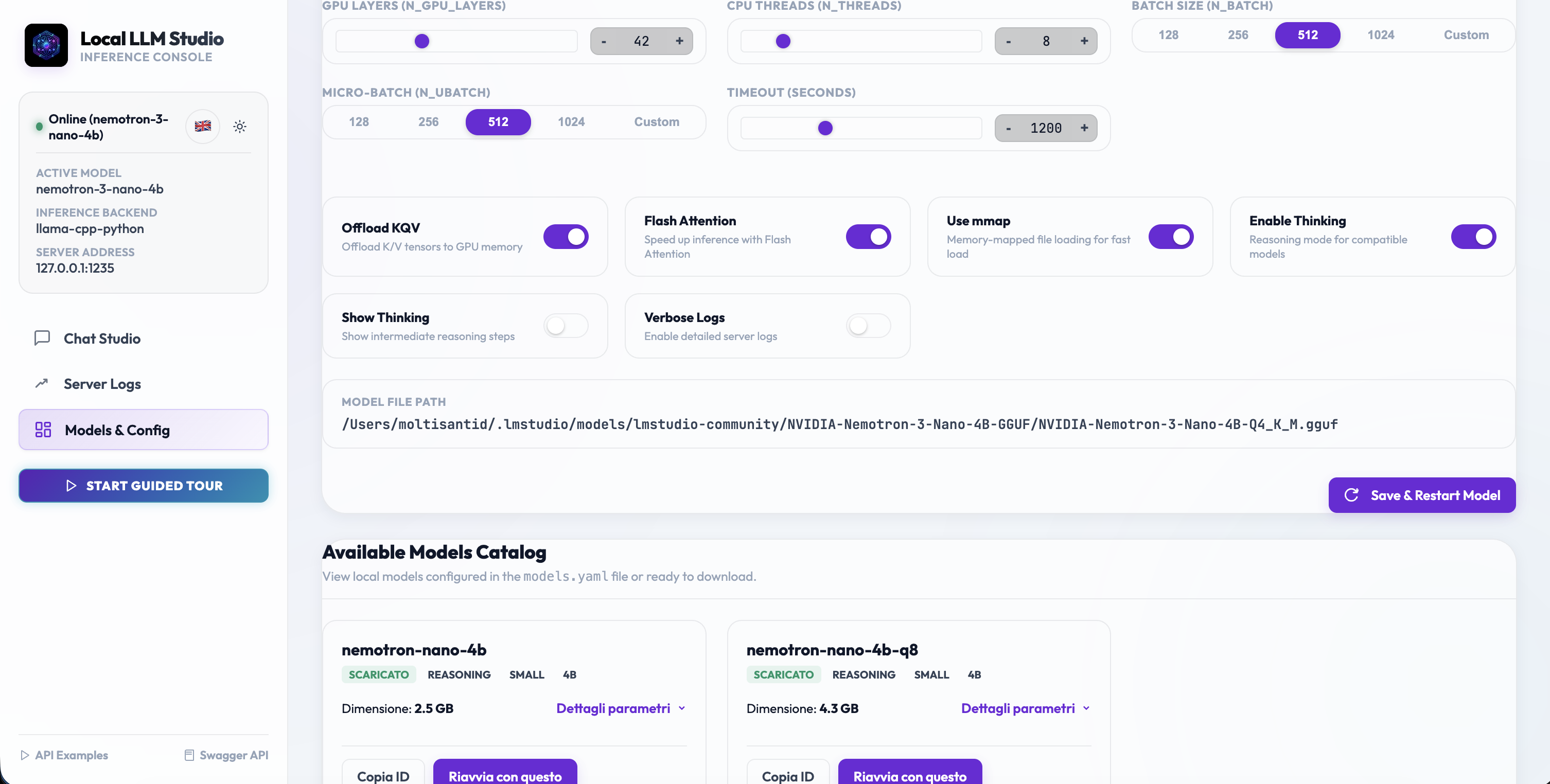
Models & Configuration
Inspect resident model leases, discover local GGUF/MLX registries, and adjust backend context sizes.
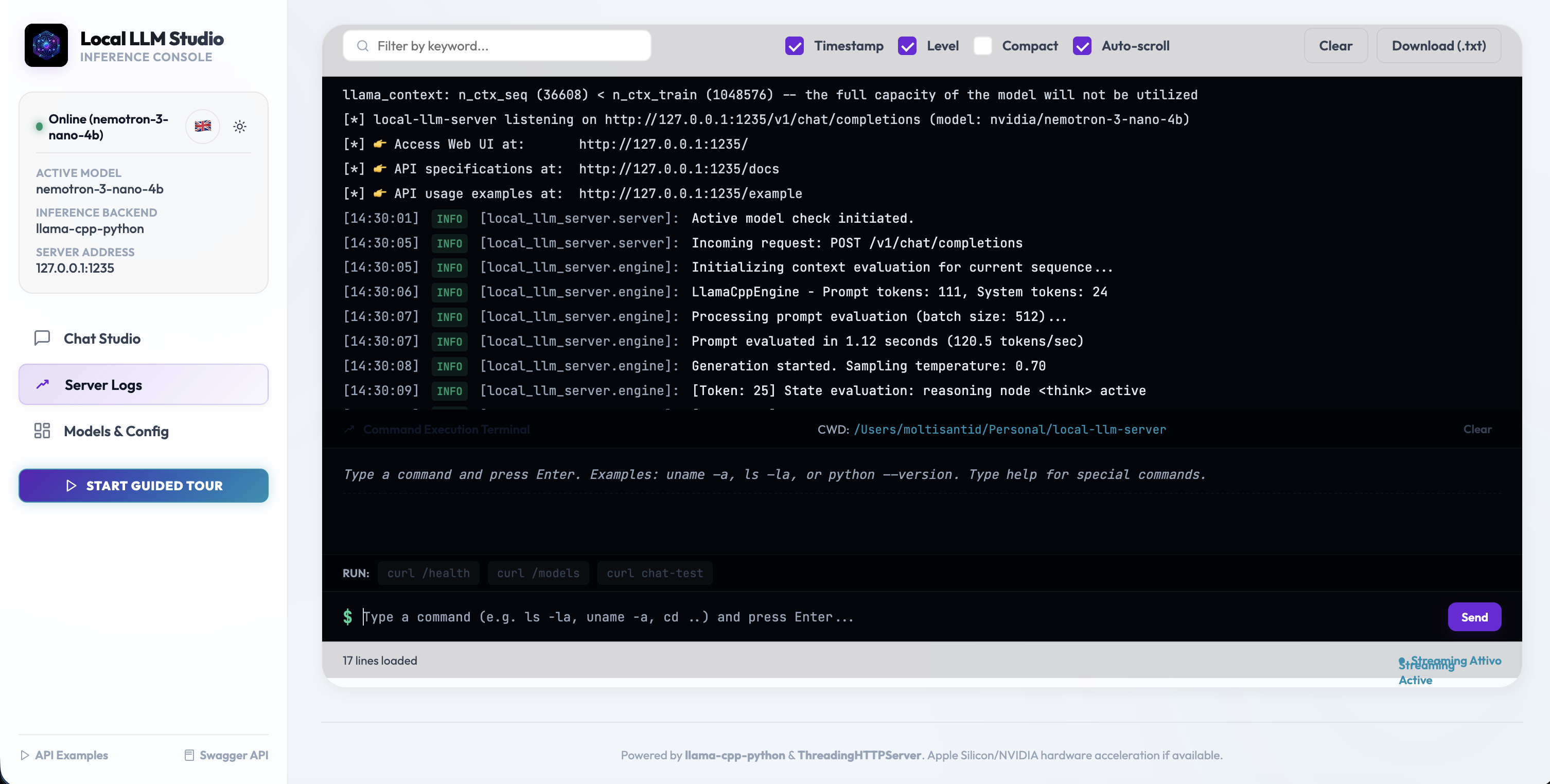
Telemetry & Server Diagnostics
Follow prompt evaluation latency, generation tok/s throughput, and detailed runtime process logs.
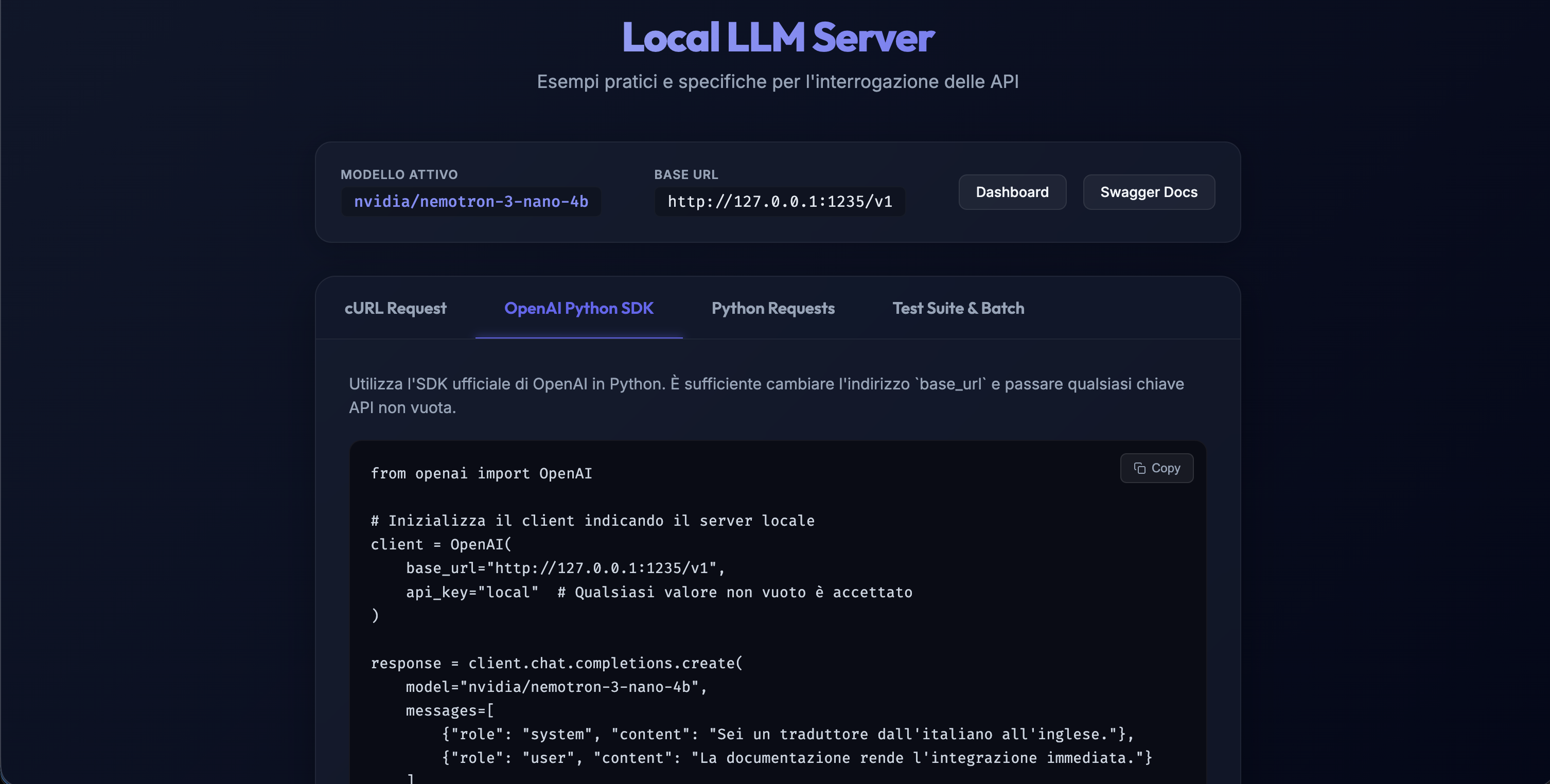
Integration Examples & OpenAPI Contract
Move from inspection to application code with copy-ready OpenAI client SDK code and live Swagger specs.
Multi-backend engine matrix
Switch between optimized execution backends based on hardware architecture and model capabilities.
| Backend Engine | Format | Execution Model | Current Role & Target Workloads |
|---|---|---|---|
llama_cpp | GGUF | In-process (C++ bindings) | Text generation, structured reasoning & quantized GGUF models |
mlx | MLX | In-process (Apple Metal) | Ultra-fast Apple Silicon text inference with Metal memory unified architecture |
llama_server | GGUF + Projector | Managed process | Multimodal and audio-capable GGUF models requiring separate server process |
mlx_vlm_server | MLX VLM | Managed process | Apple Silicon vision-language model inference via python MLX-VLM package |
Decoupled system architecture
FastAPI boundary, ModelRuntimeManager state coordination, and pluggable backend engine adapters.
FastAPI Public Boundary
Handles HTTP CORS, OpenAI API route matching, request validation, and SSE response streaming.
ModelRuntimeManager
Central orchestrator managing built-in and user model registry merges, lease admission, and state.
Process Draining & Bounded Shutdown
Managed child backend server processes are monitored with SIGTERM/SIGKILL bounded timeouts.
Telemetry & Metrics Collection
Tracks prompt evaluation milliseconds, generation speed (tok/s), and active memory footprint.
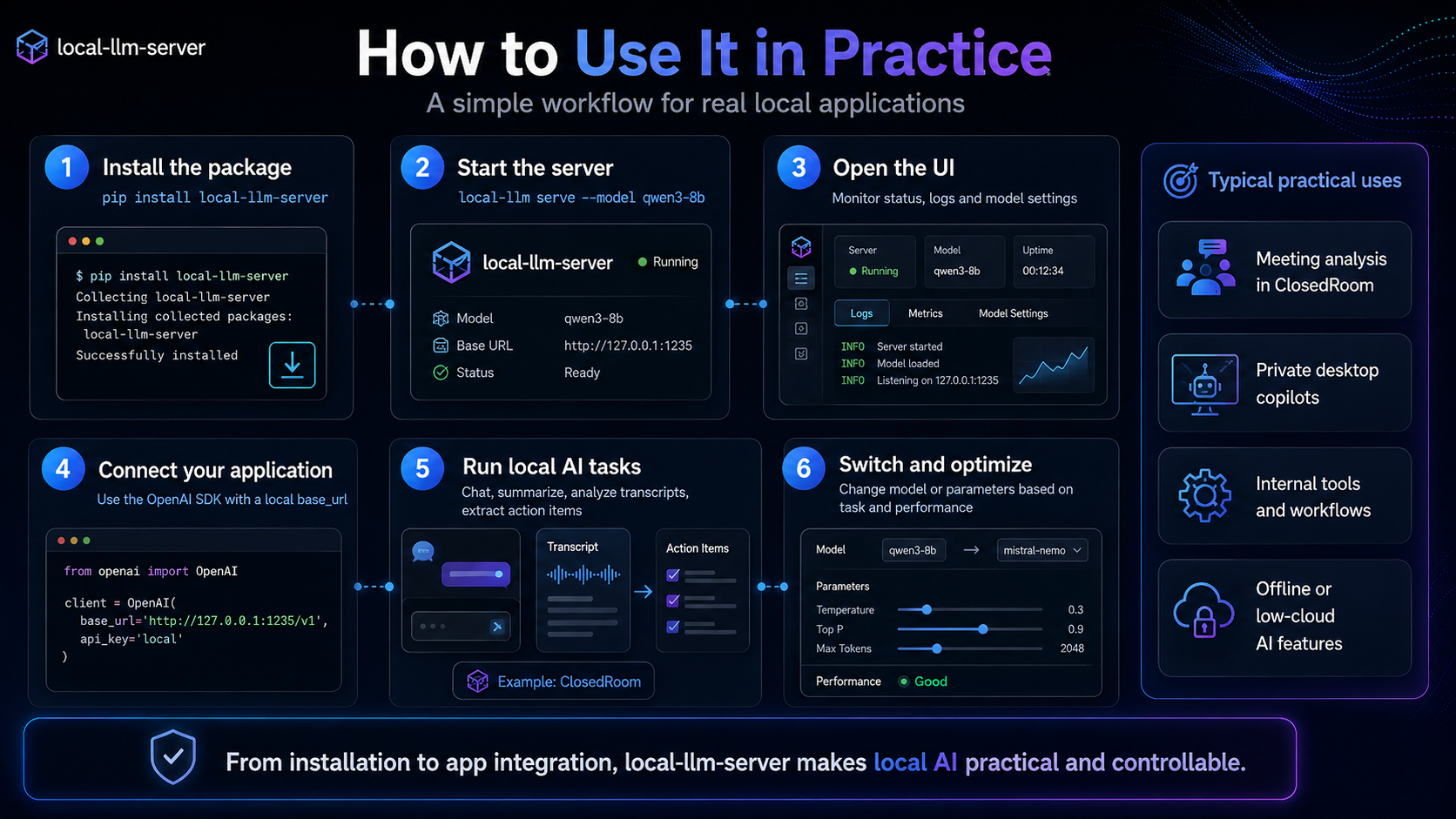
Standard OpenAI Python SDK integration
Point any OpenAI-compatible client library to the local server port.
from openai import OpenAI

# Connect to Local LLM Server running on localhost
client = OpenAI(
    base_url="http://127.0.0.1:1235/v1",
    api_key="local", # Any non-empty string
)

# Execute streaming chat completion
response = client.chat.completions.create(
    model="nemotron-nano-4b-q8",
    messages=[
        {"role": "user", "content": "Extract decisions and action items in JSON."}
    ],
    stream=True,
)

for chunk in response:
    content = chunk.choices[0].delta.content or ""
print(content, end="", flush=True)Engineering maturity & operational boundaries
Communicating explicit capabilities and operational limits as evidence of sound engineering judgment.
Available Today
- Loopback (127.0.0.1) network interface binding by default
- CORS headers disabled by default to prevent web browser drive-by requests
- Administrative runtime management endpoints disabled unless explicitly flagged
- Multi-model resident routing & dynamic model switching
- OpenAI-compatible streaming (/v1/chat/completions) & non-streaming endpoints
- SHA-256 artifact validation & model completeness verification
- Safe runtime lease, request draining, and memory unload behavior
- Bundled Local LLM Studio Web UI and programmatic Python lifecycle management
Important Limits & Boundaries
- No built-in authentication layer for open or untrusted network deployments
- Primary development and validation on macOS (Apple Silicon) and Linux
- MLX backends strictly require Apple Silicon hardware with unified memory
- Hardware-specific context length tuning required for heavy models
- Project status is Active Development (v0.8.x), not production-ready infrastructure
Give your product a reliable local reasoning layer.
Explore the runtime codebase, benchmark against your desktop hardware, and adopt an OpenAI-compatible boundary for your local AI applications.